# Other features
Source: https://docs.nestjs.com/openapi/other-features
This page covers other features of the Swagger module that you may find useful.
#### Global prefix
To ignore the global prefix set through `setGlobalPrefix()`, use the `ignoreGlobalPrefix` option:
```typescript
const document = SwaggerModule.createDocument(app, options, {
ignoreGlobalPrefix: true,
});
```
#### Global parameters
To define parameters for all routes, use `DocumentBuilder`:
```typescript
const config = new DocumentBuilder()
.addGlobalParameters({
name: 'tenantId',
in: 'header',
})
// other configurations
.build();
```
#### Global responses
To define global responses for all routes, use `DocumentBuilder`. This is useful for setting up consistent responses across all endpoints in your application, such as error codes like `401 Unauthorized` or `500 Internal Server Error`.
```typescript
const config = new DocumentBuilder()
.addGlobalResponse({
status: 500,
description: 'Internal server error',
})
// other configurations
.build();
```
#### Multiple specifications
The `SwaggerModule` supports multiple specifications. In other words, you can serve different documentation, with different UIs, on different endpoints.
To support multiple specifications, your application must be written with a modular approach. The `createDocument()` method takes a third argument, `extraOptions`, which is an object with an `include` property. The `include` property takes an array of modules.
Set up support for multiple specifications as shown below:
```typescript
import { NestFactory } from '@nestjs/core';
import { SwaggerModule, DocumentBuilder } from '@nestjs/swagger';
import { AppModule } from './app.module.js';
import { CatsModule } from './cats/cats.module.js';
import { DogsModule } from './dogs/dogs.module.js';
async function bootstrap() {
const app = await NestFactory.create(AppModule);
/**
* createDocument(application, configurationOptions, extraOptions);
*
* createDocument method takes an optional 3rd argument "extraOptions"
* which is an object with "include" property where you can pass an Array
* of Modules that you want to include in that Swagger Specification
* E.g: CatsModule and DogsModule will have two separate Swagger Specifications which
* will be exposed on two different SwaggerUI with two different endpoints.
*/
const options = new DocumentBuilder()
.setTitle('Cats example')
.setDescription('The cats API description')
.setVersion('1.0')
.addTag('cats')
.build();
const catDocumentFactory = () =>
SwaggerModule.createDocument(app, options, {
include: [CatsModule],
});
SwaggerModule.setup('api/cats', app, catDocumentFactory);
const secondOptions = new DocumentBuilder()
.setTitle('Dogs example')
.setDescription('The dogs API description')
.setVersion('1.0')
.addTag('dogs')
.build();
const dogDocumentFactory = () =>
SwaggerModule.createDocument(app, secondOptions, {
include: [DogsModule],
});
SwaggerModule.setup('api/dogs', app, dogDocumentFactory);
await app.listen(process.env.PORT ?? 3000);
}
await bootstrap();
```
Now start your server with the following command:
```bash
$ npm run start
```
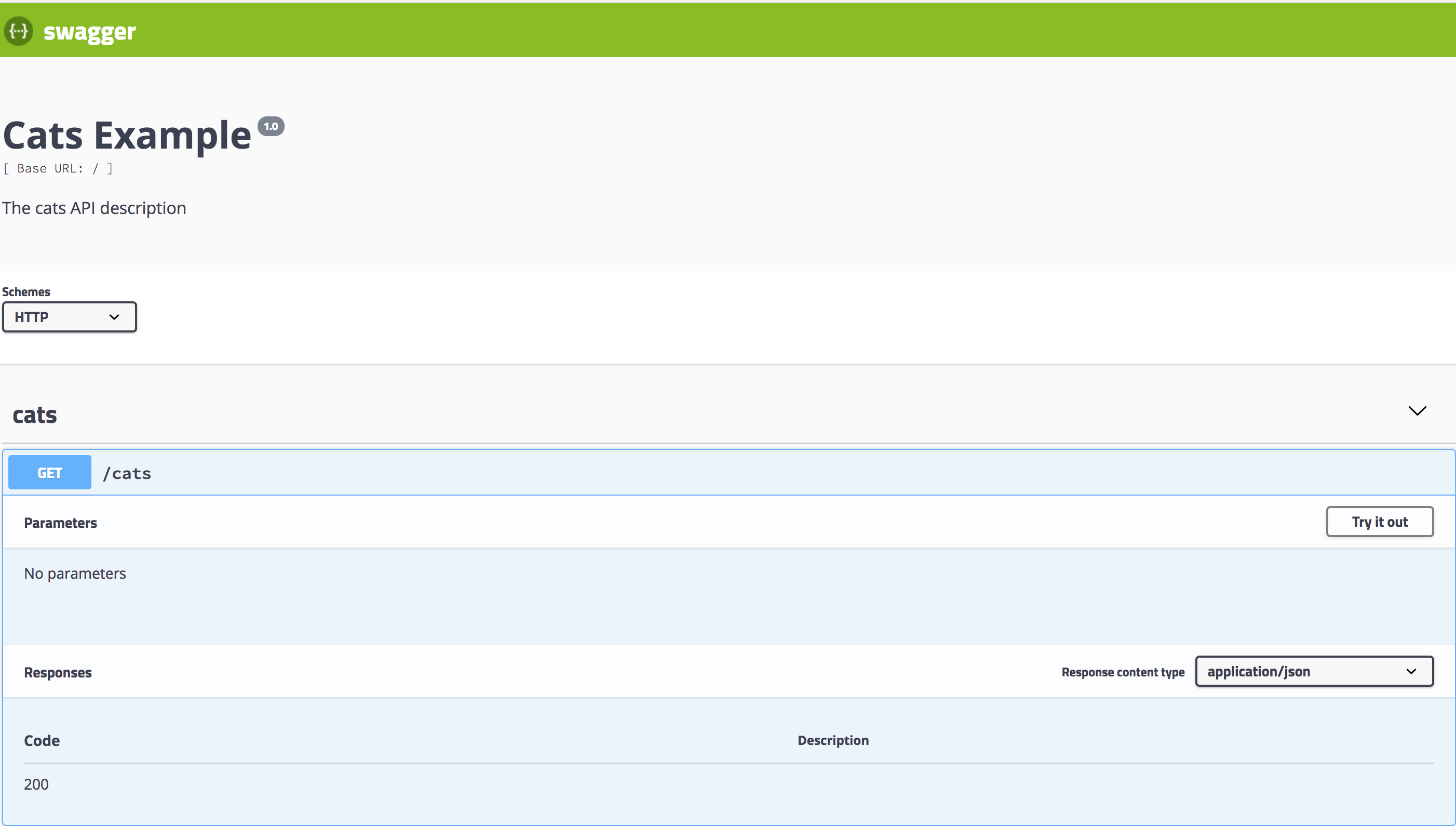
Navigate to `http://localhost:3000/api/cats` to see the Swagger UI for cats:
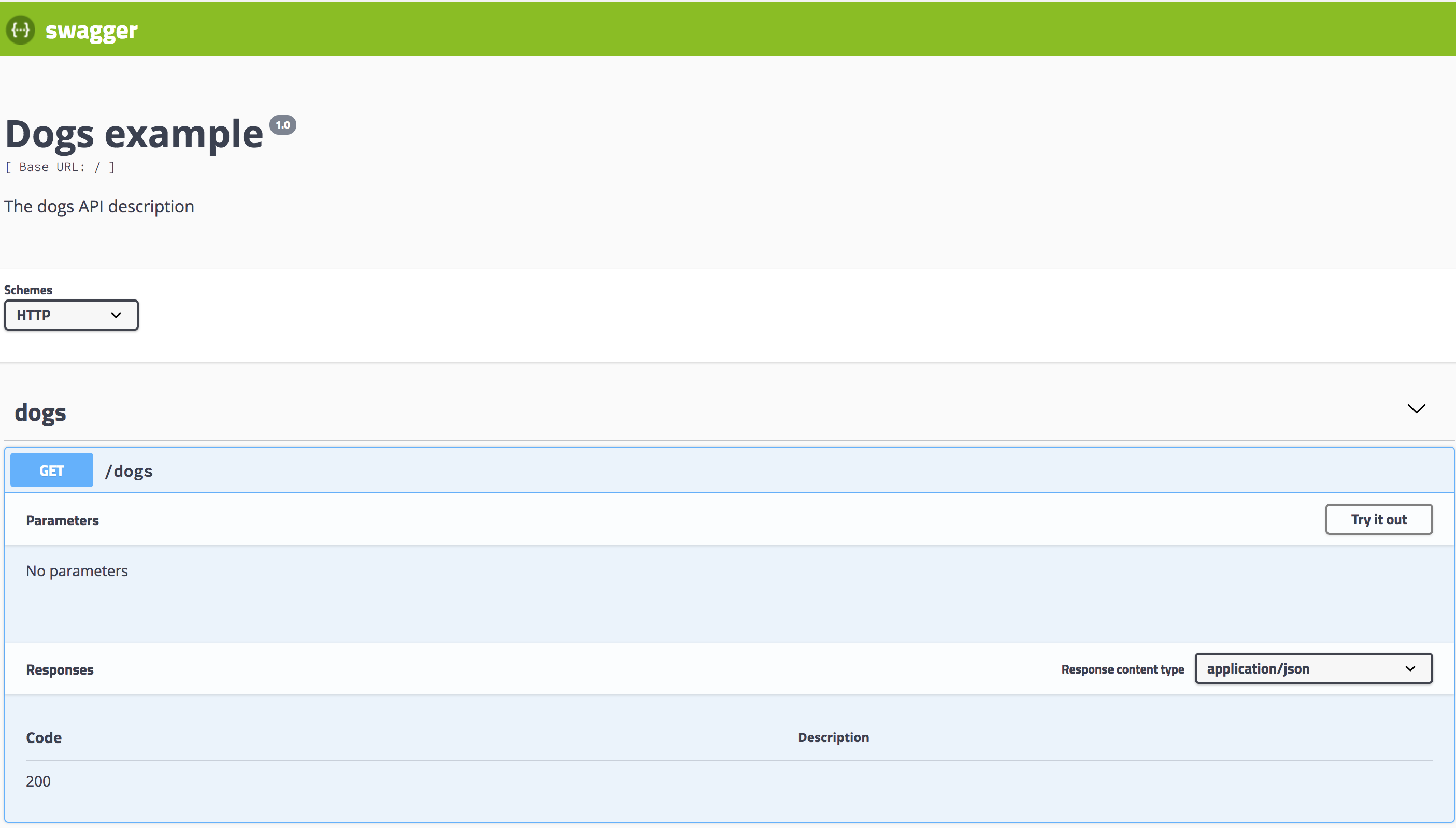
In turn, `http://localhost:3000/api/dogs` will expose the Swagger UI for dogs:
#### Dropdown in the explorer bar
To list multiple specifications in the dropdown menu of the explorer bar, set `explorer: true` and configure `swaggerOptions.urls` in your `SwaggerCustomOptions`.
> info **Hint** Make sure that `swaggerOptions.urls` points to the JSON format of your Swagger documents. To specify the JSON document's path, use the `jsonDocumentUrl` option of `SwaggerCustomOptions`. For more options, see [setup options](/openapi/introduction#setup-options).
Here's how to select multiple specifications from a dropdown in the explorer bar:
```typescript
import { NestFactory } from '@nestjs/core';
import { SwaggerModule, DocumentBuilder } from '@nestjs/swagger';
import { AppModule } from './app.module.js';
import { CatsModule } from './cats/cats.module.js';
import { DogsModule } from './dogs/dogs.module.js';
async function bootstrap() {
const app = await NestFactory.create(AppModule);
// Main API options
const options = new DocumentBuilder()
.setTitle('Multiple Specifications Example')
.setDescription('Description for multiple specifications')
.setVersion('1.0')
.build();
// Create main API document
const document = SwaggerModule.createDocument(app, options);
// Setup main API Swagger UI with dropdown support
SwaggerModule.setup('api', app, document, {
explorer: true,
swaggerOptions: {
urls: [
{
name: '1. API',
url: 'api/swagger.json',
},
{
name: '2. Cats API',
url: 'api/cats/swagger.json',
},
{
name: '3. Dogs API',
url: 'api/dogs/swagger.json',
},
],
},
jsonDocumentUrl: '/api/swagger.json',
});
// Cats API options
const catOptions = new DocumentBuilder()
.setTitle('Cats Example')
.setDescription('Description for the Cats API')
.setVersion('1.0')
.addTag('cats')
.build();
// Create Cats API document
const catDocument = SwaggerModule.createDocument(app, catOptions, {
include: [CatsModule],
});
// Setup Cats API Swagger UI
SwaggerModule.setup('api/cats', app, catDocument, {
jsonDocumentUrl: '/api/cats/swagger.json',
});
// Dogs API options
const dogOptions = new DocumentBuilder()
.setTitle('Dogs Example')
.setDescription('Description for the Dogs API')
.setVersion('1.0')
.addTag('dogs')
.build();
// Create Dogs API document
const dogDocument = SwaggerModule.createDocument(app, dogOptions, {
include: [DogsModule],
});
// Setup Dogs API Swagger UI
SwaggerModule.setup('api/dogs', app, dogDocument, {
jsonDocumentUrl: '/api/dogs/swagger.json',
});
await app.listen(process.env.PORT ?? 3000);
}
await bootstrap();
```
This example sets up a main API along with separate specifications for cats and dogs, each accessible from the dropdown in the explorer bar.