# REPL
Source: https://docs.nestjs.com/recipes/repl
A REPL is an interactive environment that takes single user inputs, executes them, and returns the result to the user. The REPL feature lets you inspect your dependency graph and call methods on your providers (and controllers) directly from your terminal.
#### Usage
To run your NestJS application in REPL mode, create a new `repl.ts` file (alongside the existing `main.ts` file) and add the following code:
```typescript
import { repl } from '@nestjs/core';
import { AppModule } from './app.module.js';
async function bootstrap() {
await repl(AppModule);
}
await bootstrap();
```
Then start the REPL from your terminal with the following command:
```bash
$ npm run start -- --entryFile repl
```
> info **Hint** The `repl()` function returns a promise that resolves to a [Node.js REPL server](https://nodejs.org/api/repl.html) object. You can pass [Node.js REPL options](https://nodejs.org/api/repl.html#replstartoptions) as its second argument.
Once it's running, you should see the following messages in your console:
```bash
LOG [NestFactory] Starting Nest application...
LOG [InstanceLoader] AppModule dependencies initialized
LOG REPL initialized
```
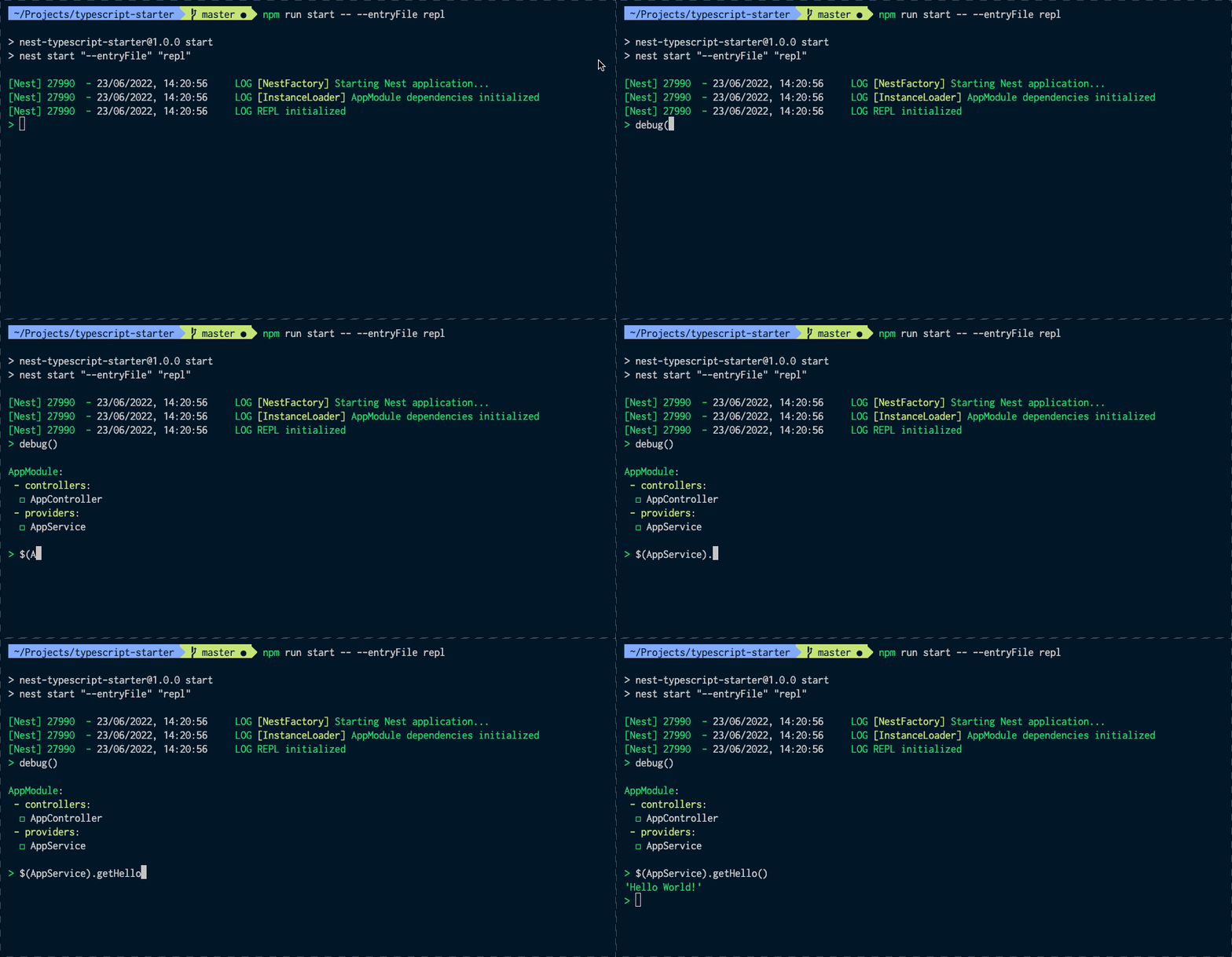
You can now interact with your dependency graph. For instance, you can retrieve the `AppService` instance (this example uses the starter project) and call its `getHello()` method:
```typescript
> get(AppService).getHello()
'Hello World!'
```
You can execute any JavaScript code from your terminal. For example, you can assign the `AppController` instance to a local variable and use `await` to call an asynchronous method:
```typescript
> appController = get(AppController)
AppController { appService: AppService {} }
> await appController.getHello()
'Hello World!'
```
To display all public methods available on a given provider or controller, use the `methods()` function, as follows:
```typescript
> methods(AppController)
Methods:
◻ getHello
```
To print all registered modules as a list, together with their controllers and providers, use `debug()`:
```typescript
> debug()
AppModule:
- controllers:
◻ AppController
- providers:
◻ AppService
```
Here's a quick demo:
The following section describes the built-in native functions in more detail.
#### Native functions
The built-in NestJS REPL comes with a few native functions that are globally available when you start the REPL. Call `help()` to list them.
If you don't remember the signature (i.e., the expected parameters and return type) of a function, use `.help`. For instance:
```text
> $.help
Retrieves an instance of either injectable or controller, otherwise, throws exception.
Interface: $(token: InjectionToken) => any
```
> info **Hint** These function interfaces are written in [TypeScript function type expression syntax](https://www.typescriptlang.org/docs/handbook/2/functions.html#function-type-expressions).
| Function | Description | Signature |
| ------------ | ------------------------------------------------------------------------------------------------------------------ | --------------------------------------------------------------------- |
| `debug` | Prints all registered modules as a list, together with their controllers and providers. Pass a module (e.g., `debug(MyModule)`) to print only that module's components. | `debug(moduleCls?: ClassRef \| string) => void` |
| `get` or `$` | Retrieves an instance of a provider or controller; throws an exception if it can't be found. | `get(token: InjectionToken) => any` |
| `help` | Displays all available REPL native functions. | `help() => void` |
| `methods` | Displays all public methods available on a given provider or controller. | `methods(token: ClassRef \| string) => void` |
| `resolve` | Resolves a transient or request-scoped instance of a provider or controller; throws an exception if it can't be found. | `resolve(token: InjectionToken, contextId: any) => Promise` |
| `select` | Navigates through the modules tree, for example, to pull out a specific instance from the selected module. | `select(token: DynamicModule \| ClassRef) => INestApplicationContext` |
#### Watch mode
During development, it's useful to run the REPL in watch mode so that code changes are reflected automatically:
```bash
$ npm run start -- --watch --entryFile repl
```
The downside is that the REPL's command history is discarded after each reload. To preserve it, modify your `bootstrap()` function as follows:
```typescript
async function bootstrap() {
const replServer = await repl(AppModule);
replServer.setupHistory(".nestjs_repl_history", (err) => {
if (err) {
console.error(err);
}
});
}
```
The history is now preserved between runs and reloads.