

Basics
The "microservice" isn't the right word here. In fact, the Nest microservice is just an application which is using the different transport layer (not HTTP).
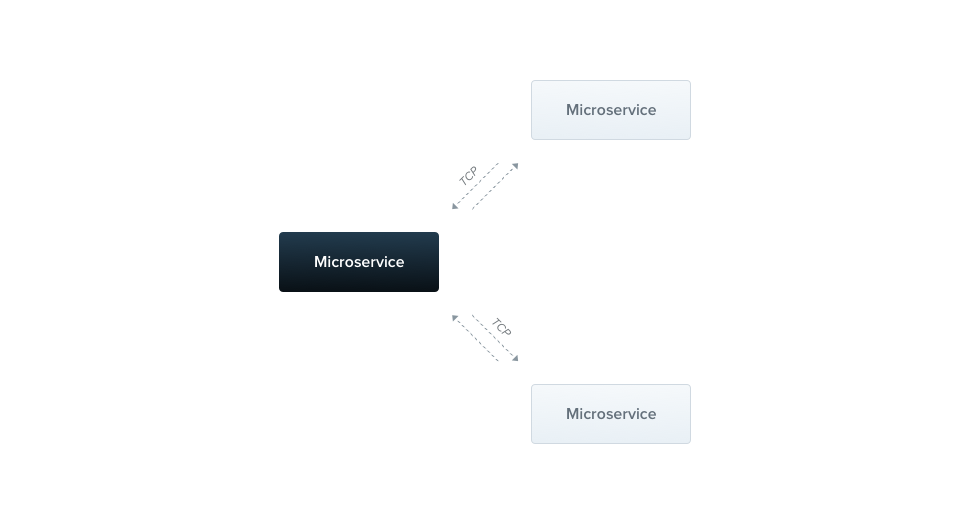
Nest supplies support for 2 types of communication - TCP and Redis pub/sub, but it's easy to bring the new transport strategy by implementing CustomTransportStrategy interface.
To create a Nest microservice, we're using the NestFactory imported from the @nestjs/core package.
Let's create a simple microservice which will be listening to messages via TCP protocol. We're gonna start from the bootstrap() function.
import { NestFactory } from '@nestjs/core';
import { ApplicationModule } from './app.module';
import { Transport } from '@nestjs/microservices';

async function bootstrap() {
  const app = await NestFactory.createMicroservice(ApplicationModule, {
    transport: Transport.TCP,
  });
  app.listen(() => console.log('Microservice is listening'));
}
bootstrap();
Notice Transport is a helper enum.
The second argument of the createMicroservice() method is an options object. This object may have 3 members:
transport |
Specifies the transport method (Transport.TCP and Transport.REDIS are available out-of-the-box) |
port |
Determines the port to make use of |
url |
Determines the url to make use of *only for Redis | .
strategy |
Determines the strategy to make use of *only for Custom Strategy | .
Patterns
The Nest microservice recognizes the messages via patterns. The pattern is a plain JavaScript value - object, string, or even number.
To create a pattern handler, we're using the @MessagePattern() decorator imported from the @nestjs/microservices package.
import { Controller } from '@nestjs/common';
import { MessagePattern } from '@nestjs/microservices';

@Controller()
export class MathController {
  @MessagePattern({ cmd: 'sum' })
  sum(data: number[]): number {
    return (data || []).reduce((a, b) => a + b);
  }
}
import { Controller } from '@nestjs/common';
import { MessagePattern } from '@nestjs/microservices';

@Controller()
export class MathController {
  @MessagePattern({ cmd: 'sum' })
  sum(data) {
    return (data || []).reduce((a, b) => a + b);
  }
}
Notice We can register the pattern handlers only inside the @Controller() class.
The above handler is listening to messages which fulfil the cmd: 'sum' pattern.
Each pattern handler takes a single argument, the data passed from the client.
In this case, the data is an array of numbers, which has to be accumulated.
Asynchronous responses
Each pattern handler can be async, so you're able to return the Promise.
Moreover, you can return the RxJS Observable, so the values would be emitted until the stream is completed.
@MessagePattern({ cmd: 'sum' })
sum(data: number[]): Observable<number> {
  return Observable.from([1, 2, 3]);
}
@MessagePattern({ cmd: 'sum' })
sum(data) {
  return Observable.from([1, 2, 3]);
}
Above message handler will respond 3 times (with each item from the array).
Client
To connect with the Nest microservice, we're using the ClientProxy class, which instance is assigned to the property by @Client() decorator.
This decorator takes single argument - the same object as a Nest microservice options object.
@Client({ transport: Transport.TCP, port: 5667 })
client: ClientProxy;
Notice Both@Client()decorator andClientProxyclass are imported from the@nestjs/microservicespackage.
The ClientProxy has a send() method. This method is intended to call the microservice and returns the Observable with its response.
@Get()
call(): Observable<number> {
  const pattern = { cmd: 'sum' };
  const data = [1, 2, 3, 4, 5];

  return this.client.send<number>(pattern, data);
}
@Get()
call() {
  const pattern = { cmd: 'sum' };
  const data = [1, 2, 3, 4, 5];

  return this.client.send(pattern, data);
}
It takes 2 arguments, the pattern and data. The pattern has to be same as this declared in the @MessagePattern() decorator.
That's all.



