

Gateways
Gateway is a class with @WebSocketGateway() decorator.
In fact, the Gateway is an encapsulated socket.io server instance adjusted to the framework architecture.
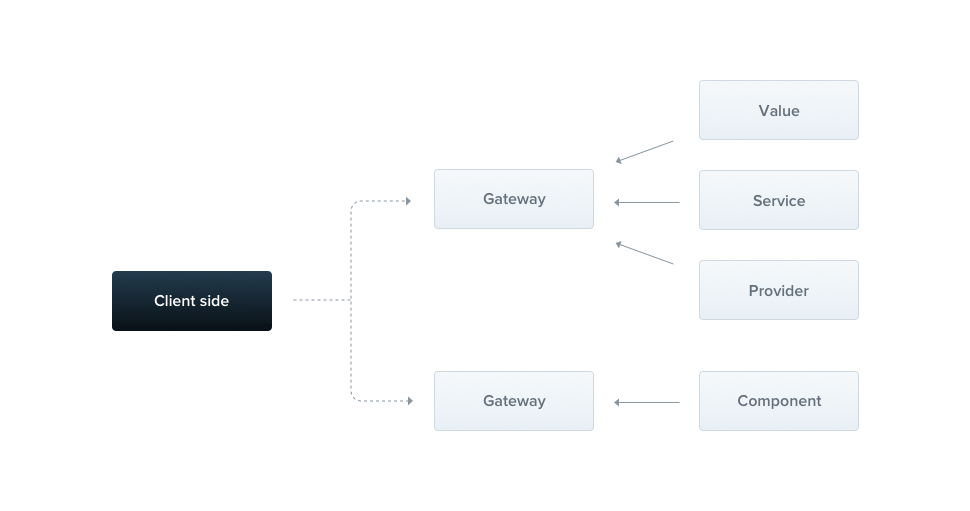
Hint Gateway is a component, so it can inject dependencies through constructor. Also, gateway might be injected by another component.
By default, each Gateway is listening to the same port as HTTP server is running on (unless your app is not a web application).
We can change this behaviour by passing the argument to the @WebSocketGateway(81) decorator.
Additionally, you can force a namespace used by this gateway with the following construction:
@WebSocketGateway({ port: 81, namespace: 'events' })
Notice Gateway won't start until you place it inside components array.
The Gateway is listening now, but we're not subscribing to the incoming messages yet.
Let's create a handler, which will subscribe to the events messages and respond to the user with the exact same data.
@SubscribeMessage('events')
onEvent(client, data): WsResponse<any> {
  const event = 'events';
  return { event, data };
}
@SubscribeMessage('events')
onEvent(client, data) {
  const event = 'events';
  return { event, data };
}
Notice TheWsResponseinterface is imported from@nestjs/commonpackage, while@SubscribeMessage()decorator from@nestjs/websockets.
The onEvent() function takes 2 arguments. First one is a native socket instance, and the second one - data is the data passed from the client.
Object returned from the function must have 2 members. The event, which is a name of the emitted event, and the data.
Also, it's possible to emit messages using standard socket.io approach, so using client.emit() function, but then it's impossible to make use of interceptors.
If you don't want to respond to the user, just don't return anything.
Asynchronous responses
Each message handler can be async, thereby you're able to return the Promise.
Moreover, you can return the RxJS Observable, so the values would be emitted until the stream is completed.
@SubscribeMessage('events')
onEvent(client, data): Observable<WsResponse<number>> {
  const event = 'events';
  const response = [1, 2, 3];

  return Observable.from(response)
    .map((res) => ({ event, data: res }));
}
@SubscribeMessage('events')
onEvent(client, data) {
  const event = 'events';
  const response = [1, 2, 3];

  return Observable.from(response)
    .map((res) => ({ event, data: res }));
}
Above message handler will respond 3 times (with each item from the response array).
Lifecycle Hooks
There're 3 useful lifecycle hooks. All of them have a corresponding interfaces, and are described in the following table:
OnGatewayInit
|
Forces to implement the afterInit() method. Takes native socket.io server instance as an argument.
|
OnGatewayConnection
|
Forces to implement the handleConnection() method. Takes native client socket instance as an argument.
|
OnGatewayDisconnect
|
Forces to implement the handleDisconnect() method. Takes native client socket instance as an argument.
|
Notice Each lifecycle interface is available within @nestjs/websockets package.
Native server instance
Sometimes you might wanna have a direct access to the native socket.io server instance.
The reference to this object is passed as an argument to the afterInit() method (OnGatewayInit interface).
The second approach is to make use of @WebSocketServer() decorator.
@WebSocketServer() server;Nest will automatically assign the server instance to this property when it's ready to use.
Notice The@WebSocketServer()decorator is imported from the@nestjs/websocketspackage.



