
Quick start
GraphQL is a query language for APIs and a runtime for fulfilling those queries with your existing data. It is an elegant approach that solves many of these problems that we have with typical REST apis. There is a great comparison between GraphQL and REST. In this set of articles, we're not going to explain what the GraphQL is, but rather show how to work with the dedicated @nestjs/graphql module. This chapter assumes that you are already familiar with GraphQL essentials.
The GraphQLModule is nothing more than a wrapper around the Apollo server. We don't reinvent the wheel but provide a ready to use module instead, that brings a clean way to play with the GraphQL and Nest together.
Installation
Firstly, we need to install the required packages:
$ npm i --save @nestjs/graphql apollo-server-express graphql-tools graphqlGetting started
Once the packages are installed, we can register the GraphQlModule.
import { Module } from '@nestjs/common';
import { GraphQLModule } from '@nestjs/graphql';

@Module({
  imports: [
    GraphQLModule.forRoot({
      typePaths: ['./**/*.graphql'],
    }),
  ],
})
export class ApplicationModule {}
The typePaths property indicates where the GraphQLModule should look for the GraphQL files. Besides, all options will be passed down to the underlying Apollo instance (read more about available settings here). For instance, if you want to disable the playground and turn off the debug mode, simply pass below options:
import { Module } from '@nestjs/common';
import { GraphQLModule } from '@nestjs/graphql';

@Module({
  imports: [
    GraphQLModule.forRoot({
      typePaths: ['./**/*.graphql'],
      debug: false,
      playground: false,
    }),
  ],
})
export class ApplicationModule {}
As mentioned, all these settings will be forwarded to the ApolloServer constructor.
Playground
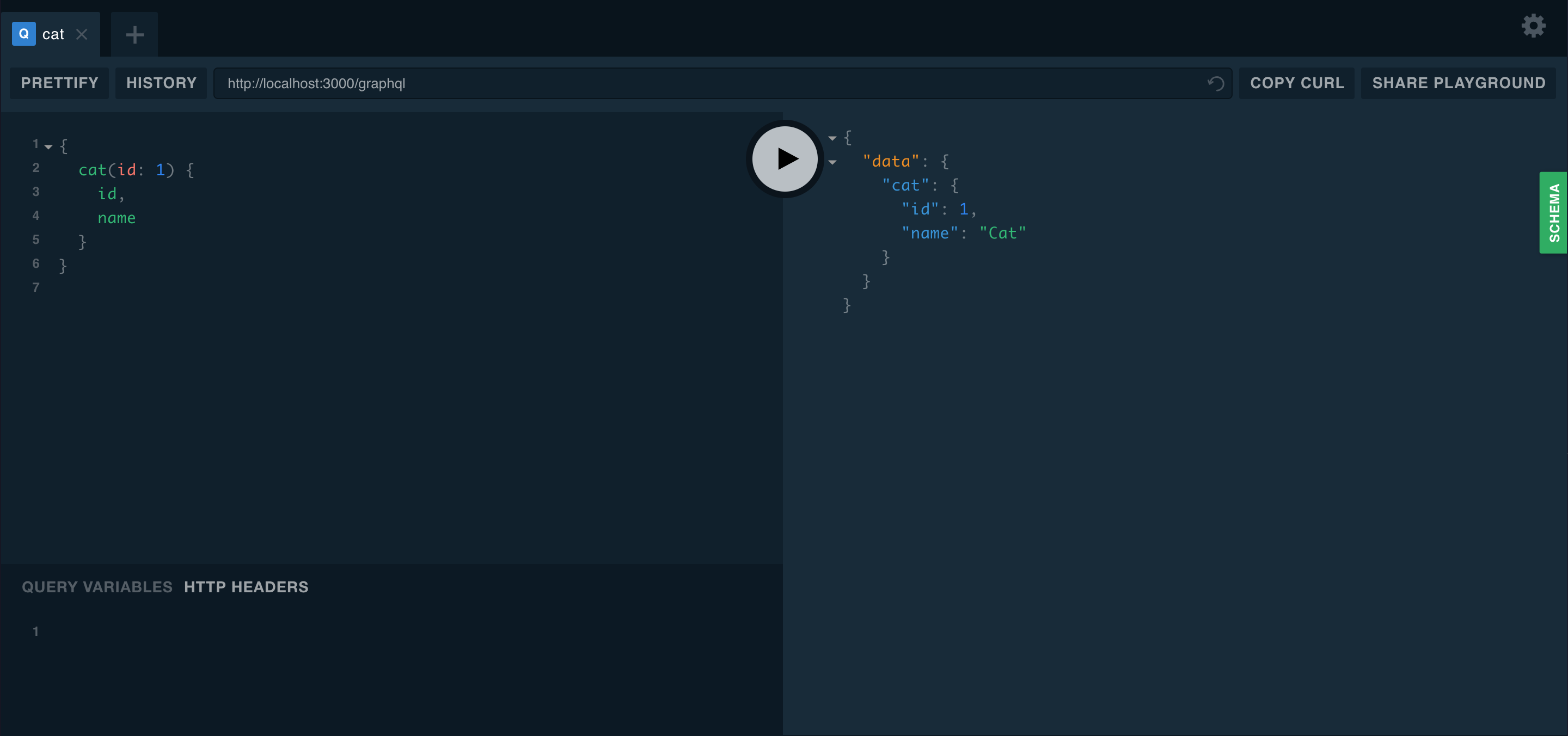
The playground is a graphical, interactive, in-browser GraphQL IDE, available by default on the same URL as the GraphQL server itself. Whilst your application is running in the background, open your web browser and navigate to http://localhost:3000/graphql (host and port may vary depending on your configuration).
Multiple endpoints
Another useful feature of this module is a capability to serve multiple endpoints at once. Thanks to that, you can decide which modules should be included in which endpoint. By default, GraphQL searches for resolvers throughout the whole app. To limit only a subset of modules, you can use the include property.
GraphQLModule.forRoot({
  include: [CatsModule],
})
Async configuration
Quite often you might want to asynchronously pass your module options instead of passing them beforehand. In such case, use forRootAsync() method, that provides a couple of various ways to deal with async data.
First possible approach is to use a factory function:
GraphQLModule.forRootAsync({
  useFactory: () => ({
    typePaths: ['./**/*.graphql'],
  }),
})
Obviously, our factory behaves like every other one (might be async and is able to inject dependencies through inject).
GraphQLModule.forRootAsync({
  imports: [ConfigModule],
  useFactory: async (configService: ConfigService) => ({
    typePaths: configService.getString('GRAPHQL_TYPE_PATHS'),
  }),
  inject: [ConfigService],
})
Alternatively, you are able to use class instead of a factory.
GraphQLModule.forRootAsync({
  useClass: GqlConfigService,
})
Above construction will instantiate GqlConfigService inside GraphQLModule and will leverage it to create options object. The GqlConfigService has to implement GqlOptionsFactory interface.
@Injectable()
class GqlConfigService implements GqlOptionsFactory {
  createGqlOptions(): GqlModuleOptions {
    return {
      typePaths: ['./**/*.graphql'],
    };
  }
}
In order to prevent the creation of GqlConfigService inside GraphQLModule and use a provider imported from a different module, you can use the useExisting syntax.
GraphQLModule.forRootAsync({
  imports: [ConfigModule],
  useExisting: ConfigService,
})
It works the same as useClass with one critical difference - GraphQLModule will lookup imported modules to reuse already created ConfigService, instead of instantiating it on its own.
Example
A fully working sample is available here.



